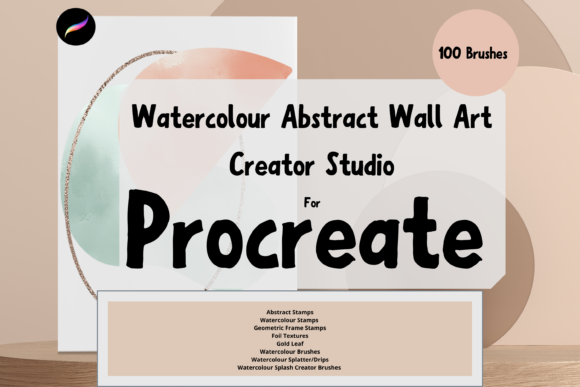
Unlocking Creative Potential with the Procreate Wall Art Print Creator Studio
The digital art landscape has shifted dramatically in recent years, moving from a niche hobby to a viable career path for thousands of creators. At the heart of this revolution is the iPad, paired with the powerful capabilities of the Procreate app. However, having the right hardware and software is only half the battle. To truly stand out in a saturated market, artists need specialized tools that streamline their workflow and elevate the quality of their output. This is where the Procreate Wall Art Print Creator Studio becomes an indispensable asset. Designed specifically for those looking to create high-quality, printable wall art, this collection of hand-crafted digital brushes bridges the gap between traditional media aesthetics and modern digital efficiency.
Why Specialized Brushes Matter for Digital Entrepreneurs
For the DIY artist or the budding entrepreneur, time is money. Spending hours trying to replicate the organic feel of watercolor or the precise texture of gold leaf using standard brushes can be frustrating and inefficient. The Procreate Wall Art Print Creator Studio addresses this pain point by providing a curated toolkit that mimics real-world materials with stunning accuracy. These are not just generic stamps; they are dynamic tools designed to behave like their physical counterparts.
When you are creating art intended for print, resolution and texture are paramount. Digital art can sometimes look too "clean" or flat when printed on large canvases or high-quality paper. The brushes in this studio pack introduce the necessary imperfections—splatters, dips, grain, and flow variations—that give artwork depth and character. This attention to detail ensures that your digital creations translate beautifully into physical products, whether you are selling prints on Etsy, offering custom commissions, or decorating your own home.
A Deep Dive into the 100 Unique Brushes
The core of this studio is its comprehensive library of 100 unique brushes. Rather than overwhelming users with redundant options, each brush serves a specific purpose in the creation of abstract and watercolor pieces. Understanding how to leverage these different categories can significantly enhance your artistic process.
Watercolour Dynamics and Textures
The standout feature of this pack is the set of watercolour dynamic painting brushes. Unlike static stamps, these brushes respond to your pressure and tilt, allowing for natural blending and layering. They can be used as a blend tool to soften edges or as a primary paint brush to lay down vibrant washes. A pro tip for achieving realistic results is to utilize the opacity slider. By lowering the opacity, you can build up color gradually, mimicking the translucent nature of real watercolor paints. Additionally, experimenting with blend modes, such as "Multiply," can deepen shadows and create rich, complex hues without muddying the colors.
Complementing the painting brushes are the watercolour splash stamps and splatters and dips. These elements add spontaneity to your work. In traditional watercolor, controlling every drop of water is impossible, and that unpredictability is part of the charm. These digital stamps allow you to inject that same organic energy into your compositions with a single tap. You can resize them using the brush resize tool or the move and transform functions in Procreate, giving you complete control over the scale and placement of each splatter.
Structural Elements: Frames and Abstract Stamps
Composition is key in wall art, and the geometric frame stamps and abstract stamps provide a solid foundation for your designs. These elements are perfect for creating modern, minimalist pieces or for framing softer watercolor backgrounds. The geometric frames offer clean lines that contrast beautifully with the fluidity of watercolor splashes, creating a balanced visual tension that is highly popular in contemporary interior design.
Luxury Accents: Foil and Gold Leaf
To add a touch of elegance and luxury, the studio includes foil brushes and gold leaf brushes. These are particularly effective for creating high-end looks that appeal to buyers looking for statement pieces. When used sparingly, these metallic accents can draw the eye to specific parts of the artwork or add a subtle shimmer that catches the light. Because these are digital, you can experiment with different shades of gold, copper, or silver without the cost of physical metallic paints.
Enhancing Realism with Paper Textures
One often-overlooked aspect of digital art is the substrate. Real watercolor paper has tooth and texture that affects how paint sits on the surface. The paper texture brushes in this pack allow you to simulate this effect digitally. A crucial technique here is to place the texture on a separate layer and set the blend mode to "Multiply" or "Overlay." This allows the texture to interact with the colors beneath it, creating the illusion that the paint was applied to actual cold-press or hot-press paper. This small step can make the difference between a piece that looks digital and one that looks like a traditional masterpiece.
Technical Requirements and Workflow Integration
It is important to note that these files are digital brushes designed exclusively for the Procreate App. To utilize the Procreate Wall Art Print Creator Studio, you must have an iPad with Procreate installed. Furthermore, for the best experience and precision, an Apple Pencil is highly recommended. The pressure sensitivity of the Apple Pencil is essential for getting the most out of the dynamic watercolor brushes, allowing for nuanced control over line weight and opacity.
Without an iPad and the Procreate app, these brushes will not function. They are not compatible with Photoshop, Illustrator, or other desktop-based software. This specificity ensures that the brushes are optimized for the touch interface and gesture controls that make Procreate so intuitive.
Installation and Setup
Getting started is straightforward. After purchasing, you will need a platform to download the files, typically via email or a direct download link provided by the seller. Once downloaded to your iPad, you can import the brush set directly into Procreate. The process involves tapping the brush library, selecting "Import," and choosing the downloaded file. Within minutes, you will have access to all 100 brushes, organized and ready to use.
Practical Applications for Modern Creators
The versatility of the Procreate Wall Art Print Creator Studio makes it suitable for a wide range of projects. For the DIY artist, it offers a low-barrier entry into creating professional-looking decor for their home. You can experiment with different color palettes and compositions without the mess of physical paints or the cost of materials.
For the budding entrepreneur, this toolkit is a game-changer. It allows for rapid prototyping of designs. You can create multiple variations of a piece in a fraction of the time it would take with traditional media. This speed is crucial for testing market trends and responding to customer demands. Whether you are creating nursery art, abstract living room pieces, or seasonal decorations, these brushes provide the consistency and quality needed to build a reputable brand.
Moreover, the ability to resize and adjust the strength of each element means that no two pieces have to look the same. You can create a cohesive collection for your shop while ensuring each item remains unique. This scalability is essential for growing a sustainable creative business.
Maximizing Your Creative Output
To get the most out of this brush pack, consider experimenting with layering. Start with a paper texture base, add your watercolor washes using the dynamic brushes, and then introduce abstract stamps for interest. Finish with geometric frames or gold leaf accents to tie the composition together. Don’t be afraid to play with the opacity and blend modes; these settings are your best friends in achieving depth and realism.
Remember, the tools are only as good as the artist wielding them. Take time to explore each brush, test its limits, and find your unique style. The Procreate Wall Art Print Creator Studio provides the foundation, but your creativity builds the house. With practice, you will find that these brushes not only speed up your workflow but also inspire new ideas and techniques that you might not have discovered otherwise.
In conclusion, for anyone serious about creating digital wall art, investing in specialized tools like this brush pack is a smart move. It combines the convenience of digital art with the aesthetic appeal of traditional media, offering a powerful solution for modern creators. Whether you are just starting out or looking to refine your existing workflow, the Procreate Wall Art Print Creator Studio offers the resources you need to create beautiful, market-ready art.