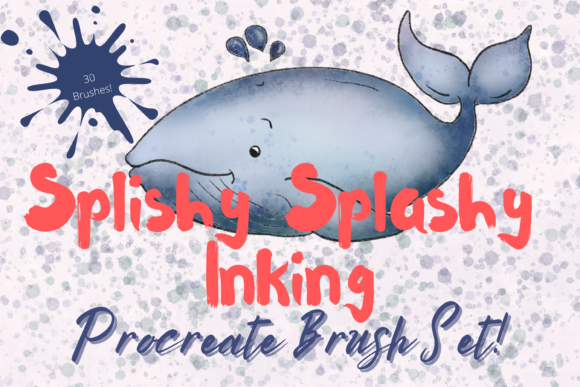
Mastering Digital Ink: A Practical Review of the Inking Brush Set for Procreate X 30
Digital illustration has evolved significantly, moving from rigid vector lines to fluid, organic textures that mimic traditional media. For artists working on the iPad, finding tools that bridge the gap between physical sensation and digital flexibility is crucial. The Inking Brush Set for Procreate X 30 emerges as a specialized resource designed specifically for this purpose. Unlike general-purpose brush packs that attempt to cover every artistic style, this collection focuses intently on the nuances of ink—capturing the watery bleed, the dry bristle drag, and the unpredictable splatter of hand-created marks.
Understanding whether this specific toolset aligns with your workflow requires looking beyond the marketing claims. It involves evaluating how these thirty individual brushes integrate into the Procreate ecosystem, their technical limitations, and how they compare to building your own library or purchasing broader, all-in-one bundles. This analysis aims to provide a balanced perspective for illustrators, designers, and hobbyists considering this investment.
The Distinct Character of Hand-Created Digital Brushes
The core value proposition of the Inking Brush Set for Procreate X 30 lies in its origin. These are not algorithmically generated strokes; they are scanned and digitized from actual ink applications. This distinction matters because real ink behaves in chaotic, beautiful ways that are difficult to replicate purely through code. The set includes a diverse range of textures, such as art paper backgrounds, bristle edges, blotchy saturations, and washy gradients.
One notable inclusion is the ‘lift out’ ink brush. This tool allows artists to subtract pigment rather than add it, mimicking the technique of lifting wet ink with a clean brush or tissue. This capability adds a layer of depth and correction potential that standard erasers cannot achieve. When combined with the ability to use these brushes in both "blend" and "paint" modes, the set offers a dynamic range of expression. Artists can layer translucent washes using multiply blending modes to create depth, or use opaque strokes for bold, graphic definitions.
Furthermore, the integration of art paper textures within the pack simplifies the workflow. Instead of importing separate texture overlays and adjusting their opacity manually, users can apply brushes that inherently carry the grain and tooth of traditional paper. This streamlines the process of creating pieces that feel tactile and grounded, even on a smooth glass screen.
Technical Requirements and Compatibility Constraints
Before committing to any digital asset, it is essential to understand the hardware and software dependencies. The Inking Brush Set for Procreate X 30 is exclusively compatible with the Procreate app on iPad. This means that if you work primarily on desktop software like Photoshop, Clip Studio Paint, or Affinity Designer, these files will be unusable. Additionally, the experience is optimized for use with an Apple Pencil. While finger painting is possible in Procreate, the pressure sensitivity and tilt recognition required to fully utilize the variable opacity and blend strength of these ink brushes necessitate a stylus.
The installation process also presents a minor hurdle for those unfamiliar with file management on iOS. Since these are digital downloads, users must have a method to receive the files, such as iCloud, Dropbox, or email. Crucially, the files come in a compressed format (likely .zip), requiring a third-party application like iZip or the native Files app to unzip them before import. Once unzipped, the brushes are imported into Procreate as a named folder. While this is a standard procedure for digital assets, it is a friction point compared to cloud-synced libraries that install automatically. Users should be comfortable with basic file manipulation on their iPad to ensure a smooth setup.
Comparative Analysis: Specialized Sets vs. General Libraries
When evaluating the Inking Brush Set for Procreate X 30, it is helpful to compare it against two common alternatives: massive generalist brush bundles and custom-built brush settings.
Generalist Bundles: Many popular brush packs offer hundreds of tools, covering everything from oil paints to pixel art. The advantage here is volume and variety. However, the tradeoff is often a lack of depth in specific categories. A general ink brush might provide a basic black line, but it may lack the nuanced "blotchy" or "washey" behaviors found in this specialized set. If your primary goal is ink-based illustration, a focused set like this often provides higher quality, more coherent results than sifting through hundreds of mediocre options in a larger pack.
Custom-Built Brushes: Experienced Procreate users can tweak existing brushes to mimic ink by adjusting streamline, pressure curves, and grain sources. This approach offers total control and is free. However, it requires significant technical knowledge and time. The Inking Brush Set for Procreate X 30 saves this development time. It offers a curated selection where the balance between opacity, flow, and texture has already been refined. For professionals billing by the hour, or learners who want to focus on drawing rather than software configuration, this pre-made solution is efficient.
Workflow Integration and Creative Flexibility
The versatility of this brush set extends beyond simple line work. Because the brushes can be resized using Procreate’s native tools, they adapt to various scales, from fine details to broad background washes. The ability to alter the strength of the blend ink charge via the opacity slider allows for subtle gradations. For example, lowering the opacity can create a misty, atmospheric effect, while full opacity delivers a stark, high-contrast look suitable for comic book styling or graphic design.
Consider a practical scenario: an artist creating a botanical illustration. They might use the 'bristle' brush for the rough texture of stems, the 'washey' brush for soft leaf shadows, and the 'splatters' brush to add organic imperfections that suggest natural growth. The included paper textures can serve as a base layer, unifying the composition. By using multiply blending modes, the ink layers interact realistically, darkening where they overlap just as they would on physical paper. This level of integration supports a non-destructive workflow, allowing artists to experiment without fear of ruining the underlying sketch.
Limitations and Decision Factors
Despite its strengths, the Inking Brush Set for Procreate X 30 is not a universal solution. Its primary limitation is its specificity. If your artistic style leans heavily towards digital painting, 3D modeling, or vector graphics, these brushes will offer little value. They are designed for a particular aesthetic—organic, imperfect, and textured. Artists seeking clean, geometric precision may find the "blotchy" and "splatter" characteristics counterproductive.
Additionally, the reliance on the Procreate ecosystem locks users into Apple’s hardware. There is no Android or Windows version. For artists who switch between devices or prefer cross-platform compatibility, this exclusivity is a significant constraint. Furthermore, while the set includes thirty brushes, some users may find this number limiting if they require a vast array of variations. However, for most projects, thirty well-crafted tools are often more manageable than three hundred redundant ones.
Who Should Consider This Brush Set?
The Inking Brush Set for Procreate X 30 is best suited for:
- Illustrators specializing in ink wash, watercolor, or sketch styles: The textures and blending capabilities directly support these mediums.
- Beginners to intermediate Procreate users: Those who want to achieve professional-looking ink effects without spending hours tweaking brush settings.
- Artists seeking texture and organic feel: If your work benefits from the unpredictability of real media, this set delivers that aesthetic reliably.
Conversely, you might want to explore other options if:
- You work primarily in vector-based software or desktop applications.
- Your style requires hyper-realistic digital painting or clean, uniform lines.
- You do not own an iPad or Apple Pencil.
Making an Informed Choice
Choosing the right digital tools is about matching resources to your creative intent. The Inking Brush Set for Procreate X 30 offers a focused, high-quality solution for artists drawn to the expressive potential of ink. It balances the convenience of pre-made assets with the flexibility of Procreate’s powerful engine. By understanding its technical requirements and stylistic strengths, you can determine if it complements your existing toolkit or if a different approach better serves your artistic goals. Always review the listing pictures and sample works provided by the creator to ensure the visual style aligns with your personal aesthetic before purchasing.