Mastering the Watercolor Brush Stroke Set
There is a distinct warmth to hand-painted textures that digital perfection simply cannot replicate. In an era where clean lines and flat vectors dominate the screen, introducing organic imperfection can be the difference between a design that feels sterile and one that resonates emotionally. This is precisely where a comprehensive Watercolor Brush Stroke Set becomes an indispensable asset for modern creators. Whether you are a seasoned graphic designer, a small business owner crafting your brand identity, or a hobbyist looking to elevate your digital scrapbooks, these assets bridge the gap between traditional artistry and digital efficiency.
Why Organic Textures Matter in Digital Design
Human eyes are naturally drawn to variation. We notice the subtle bleed of pigment on paper, the uneven edge of a dry brush, and the translucent layering of colors. These nuances create depth and tactile appeal. When you integrate a high-quality Watercolor Brush Stroke Set into your workflow, you are not just adding decoration; you are injecting personality.
For marketers and entrepreneurs, this translates to higher engagement. Social media feeds are cluttered with polished, algorithm-friendly content. A post featuring a genuine watercolor splash or a hand-painted underline stands out because it feels human-made. It breaks the pattern of uniformity, catching the viewer’s eye and inviting them to pause. For educators and bloggers, these elements can soften complex information, making tutorials or articles feel more approachable and less intimidating.
Versatility Across File Formats
One of the most significant hurdles in adopting digital art assets is compatibility. You might find a beautiful brush pack, only to realize it doesn’t work with your preferred software. This specific collection solves that problem by providing an extensive range of file formats, ensuring seamless integration into virtually any creative environment.
Here is what you get and how each format serves a unique purpose:
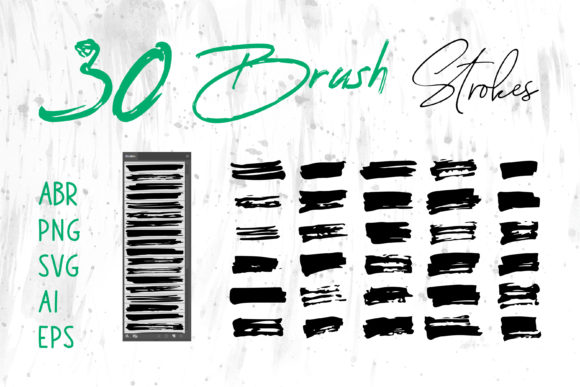
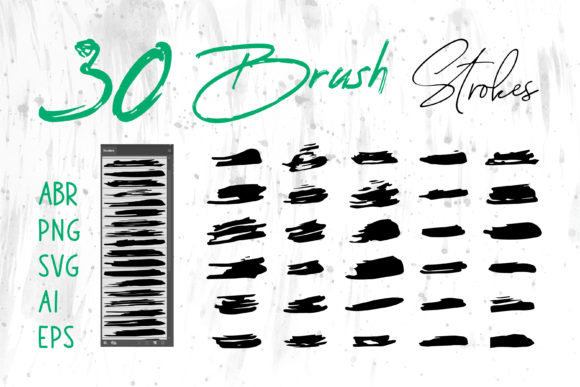
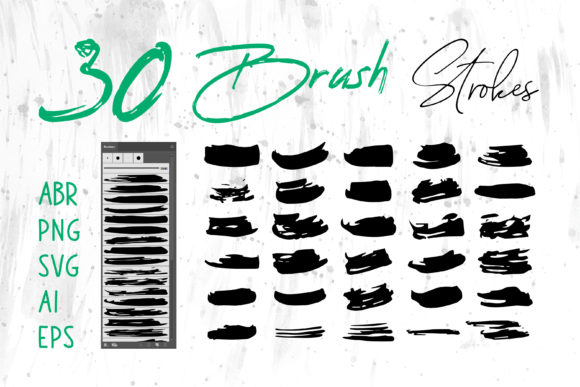
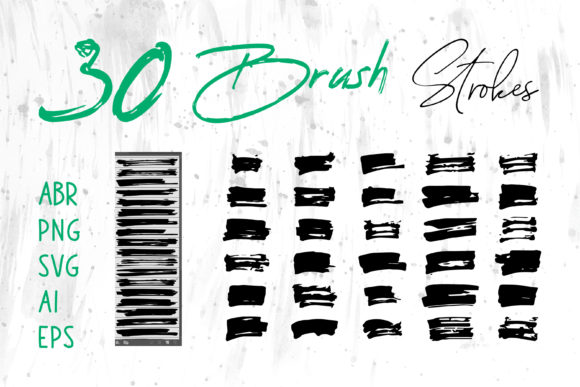
- ABR (Adobe Photoshop Brush): Ideal for digital painters who want to create new strokes dynamically. You can adjust size, opacity, and flow in real-time, allowing for infinite customization within Photoshop.
- PNG (Portable Network Graphics): These are pre-rendered, transparent-background images. They are plug-and-play, perfect for quick compositions in Canva, Microsoft Word, PowerPoint, or any software that supports image layers. No special plugins required.
- SVG, AI, and EPS (Vector Formats): Crucial for scalability. If you are designing a logo, a large-format banner, or packaging that needs to be printed at various sizes, vector files ensure your watercolor strokes remain crisp and never pixelate. These are essential for Adobe Illustrator users.
- ProCreate Brushes: Tailored for iPad artists, allowing you to paint directly on your tablet with the same organic feel as desktop tools.
This multi-format approach means you are not locked into a single ecosystem. You can start a concept in Procreate on your iPad, refine it in Photoshop using ABR files, and finalize the layout in Illustrator using SVGs. The flexibility empowers you to choose the right tool for the job without compromising on aesthetic consistency.
Practical Applications for Creators and Businesses
The utility of a Watercolor Brush Stroke Set extends far beyond simple embellishment. Here are several real-world scenarios where these assets add tangible value:
Branding and Identity
For brands aiming for a boutique, artisanal, or eco-friendly image, watercolor elements are incredibly effective. Imagine a coffee shop logo where the bean illustration is framed by a loose, earthy watercolor wash. Or consider a wedding planner’s business card featuring a delicate, pastel brush stroke behind the typography. These elements communicate softness, creativity, and attention to detail. Using vector formats like AI or EPS ensures that these branding elements look sharp on everything from a tiny favicon to a storefront sign.
Packaging and Product Design
In the competitive world of e-commerce and retail, packaging is your silent salesman. A skincare brand selling organic lotions can use subtle watercolor textures on their labels to evoke natural ingredients and purity. The translucency of watercolor mimics the lightness of natural products. By using high-resolution PNGs or scalable vectors, designers can wrap these textures around bottles and boxes without losing quality, creating a premium unboxing experience.
Digital Content and Social Media
Content creators need speed without sacrificing quality. Using PNG brush strokes as background elements for Instagram stories or YouTube thumbnails can drastically reduce design time. Instead of painting from scratch, you drag and drop a pre-made stroke, adjust its color to match your brand palette, and place your text over it. This workflow boosts productivity, allowing you to maintain a consistent visual style across all platforms while meeting tight posting schedules.
Print and Publishing
Book covers, greeting cards, and invitations benefit immensely from the emotional weight of watercolor. A romance novel cover might feature a sweeping, dramatic stroke to suggest passion, while a children’s book might use playful, colorful splashes. For independent publishers and card makers, having access to both raster (PNG) and vector (SVG/EPS) files means they can print short runs at home or send files to professional printers with confidence in the resolution.
Maximizing Efficiency in Your Workflow
Time is a scarce resource for freelancers and agency professionals. Creating realistic watercolor effects from scratch requires significant skill and even more time. You need to experiment with water-to-pigment ratios, drying times, and paper textures. A curated Watercolor Brush Stroke Set eliminates this trial-and-error phase.
Consider the scenario of a web designer building a landing page for a creative portfolio. They need hero images that feel artistic but load quickly. By using optimized PNGs from the set, they can achieve the desired aesthetic without bloating the site’s performance. Similarly, an educator creating a PowerPoint presentation for a history class can use subtle watercolor backgrounds to make slides visually engaging without distracting from the text. The ease of implementation in MS Office programs via PNGs makes this accessible even to those with minimal graphic design training.
Choosing the Right Assets for Your Project
While having a vast library is great, knowing which format to use is key to professional results. Here are some practical considerations:
- Check Resolution: For print projects like t-shirts or packaging, always use the highest resolution PNGs or, preferably, vector formats (AI, EPS, SVG). Vectors are resolution-independent, meaning they will look perfect at any size.
- Layering Techniques: Watercolor looks best when layered. Don’t just place one stroke; overlap multiple strokes with different opacities to create depth. Use blending modes in Photoshop or Illustrator (such as Multiply or Overlay) to make the colors interact naturally.
- Color Harmony: Most watercolor sets come in standard colors, but the ability to recolor vector files or adjust hue/saturation in PNGs allows you to match your specific brand guidelines. Always ensure the watercolor tones complement, rather than clash with, your typography.
- Contextual Relevance: Ensure the style of the brush stroke matches the tone of your project. A rough, dry-brush stroke might suit a rugged outdoor brand, while a soft, wet-on-wet blend is better for luxury beauty products.
Ultimately, a Watercolor Brush Stroke Set is more than a collection of graphics; it is a toolkit for enhancing communication through design. By leveraging the versatility of formats like ABR, PNG, SVG, and AI, you can streamline your creative process, maintain high visual standards, and connect with your audience on a more human level. Whether you are designing a logo, decorating a digital scrapbook, or laying out a magazine, these elements provide the organic touch that turns good design into great design.