Brush Stroke Collection Vector: Formats, Uses, and Design Considerations
In the realm of digital design, texture and organic movement often serve as the bridge between sterile layouts and engaging visual narratives. The Brush Stroke Collection Vector represents a curated set of graphic assets designed to introduce hand-painted aesthetics into digital projects. Unlike raster images that lose quality when scaled, vector-based brush strokes maintain crisp edges at any size, making them a versatile resource for designers working across various mediums. This article evaluates the utility, file compatibility, and practical applications of this collection to help you determine if it aligns with your creative workflow.
Understanding the Asset Package and File Compatibility
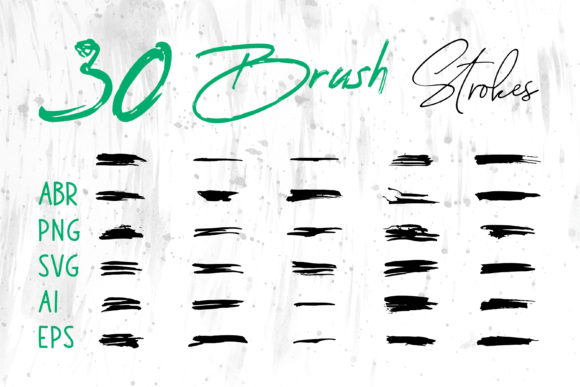
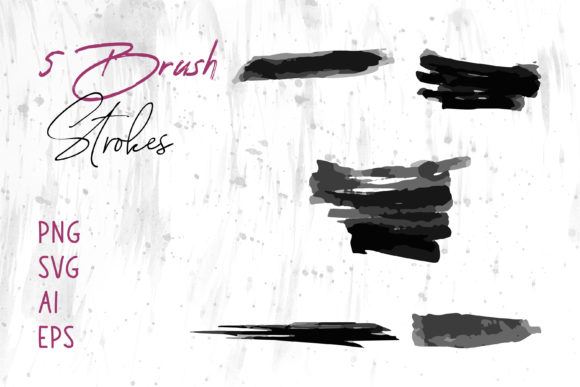
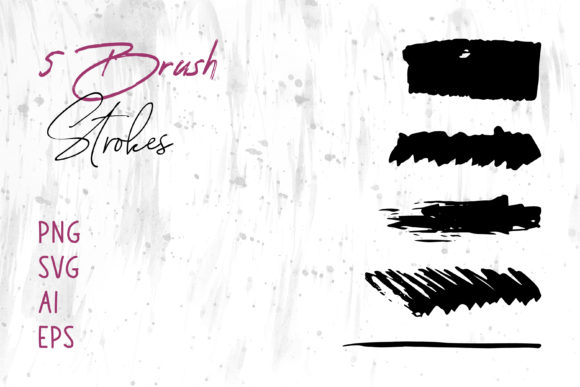
The core value of the Brush Stroke Collection Vector lies in its multi-format delivery. Designers rarely work within a single software ecosystem, and asset compatibility is a frequent bottleneck in production pipelines. This collection addresses that challenge by providing files in four distinct formats: AI, EPS, SVG, and PNG. Each format serves a specific technical purpose, ensuring that the graphics can be integrated seamlessly into both professional design suites and general office software.
The AI (Adobe Illustrator) and EPS (Encapsulated PostScript) files are industry standards for vector graphics. They allow for full editability within Adobe Illustrator, CorelDRAW, and similar vector editing programs. Users can modify the color, shape, and opacity of individual strokes without degrading image quality. The SVG (Scalable Vector Graphics) format is particularly relevant for web developers and UI designers, as it is lightweight and renders efficiently in browsers. Finally, the inclusion of PNG files with transparent backgrounds provides an immediate solution for users who do not have access to vector editing software or need quick drag-and-drop functionality.
This breadth of format support means the collection is not limited to high-end design environments. The PNG files, for instance, can be inserted directly into MS Word documents, MS PowerPoint presentations, and other non-design-specific applications. This versatility makes the collection a practical choice for marketers, educators, and small business owners who need professional-looking graphics but may lack specialized design tools.
Practical Applications Across Design Mediums
The aesthetic appeal of brush strokes is their ability to convey energy, creativity, and human touch. When evaluating where to apply the Brush Stroke Collection Vector, consider projects that benefit from organic contrast against structured elements. Here are several key areas where these assets perform effectively:
- Branding and Identity: Logos and brand marks often require unique textures to stand out. A vector brush stroke can serve as a dynamic underline, a background element, or a central motif in a logo design, offering a handmade feel that resonates with artisanal or creative brands.
- Print Media: For book covers, packaging, and greeting cards, texture adds depth. Vector files ensure that these textures print sharply, whether on a small business card or a large product box. The scalability of AI and EPS files prevents pixelation, a common issue with raster-only textures.
- Digital Marketing: Social media banners and website headers often rely on bold visuals to capture attention. SVG files allow these strokes to load quickly on websites while remaining crisp on high-resolution retina displays. They can be used to highlight text, frame images, or create dynamic backgrounds.
- Apparel and Merchandise: T-shirt designs frequently utilize brush typography and abstract strokes. Vector files are essential here because they can be scaled to fit various garment sizes without losing detail, facilitating easier screen printing or direct-to-garment processes.
- Digital Scrapbooking and Crafts: Hobbyists and digital crafters can use the PNG files to layer textures in digital scrapbooks or planning apps. The transparent backgrounds allow for easy compositing over photos and patterns.
Evaluating Benefits and Tradeoffs
When considering the acquisition of a Brush Stroke Collection Vector, it is important to weigh the advantages against potential limitations. Understanding these factors helps in setting realistic expectations for how the assets will integrate into your workflow.
Key Benefits
The primary advantage is scalability. Vector graphics are mathematically defined, meaning they can be enlarged infinitely without loss of quality. This is crucial for large-format printing such as banners or signage. Secondly, the editability of AI and EPS files allows for customization. Designers can recolor strokes to match brand palettes instantly, rather than being stuck with pre-rendered colors. Lastly, the time efficiency offered by pre-made assets cannot be overstated. Creating realistic brush strokes from scratch requires significant skill and time; using a collection allows designers to focus on composition and layout rather than asset creation.
Considerations and Limitations
Despite their versatility, vector brush strokes are not a universal solution. One tradeoff is the learning curve associated with vector software. To fully leverage the AI and EPS files, users must be comfortable with programs like Adobe Illustrator. While PNGs offer a workaround, they lack the flexibility of vectors. Additionally, vector files can sometimes appear too "clean" or uniform compared to high-resolution scanned paint strokes. If a project requires the subtle imperfections of real dried paint or paper texture, a high-resolution raster photograph might be more appropriate. Finally, overuse of brush strokes can lead to visual clutter. They should be used intentionally to guide the eye, not merely as decoration.
Decision-Making Insights: Is This Collection Right for You?
Determining whether the Brush Stroke Collection Vector fits your needs depends on your specific project requirements and technical capabilities. Ask yourself the following questions to guide your decision:
- What is my primary output medium? If you are designing for web or large-scale print, vector formats are essential. If you are only creating low-resolution social media posts, PNGs may suffice, but vectors still offer future-proofing.
- Do I need customization? If you need to change colors or shapes to match specific brand guidelines, the AI and EPS files are necessary. If you are satisfied with the default appearance, PNGs are easier to use.
- What software do I use? Ensure you have the tools to open the provided formats. Adobe Creative Cloud users will find the AI and EPS files native to their workflow. Web developers will appreciate the SVG format. General office users should rely on the PNG files.
- What is the desired aesthetic? If your goal is a modern, clean, yet organic look, vector brushes are ideal. If you seek a gritty, highly textured, photorealistic paint effect, consider supplementing this collection with high-resolution raster textures.
Alternatives and Complementary Resources
While the Brush Stroke Collection Vector is a robust resource, it is worth considering alternatives depending on your niche. For photographers and photo-manipulators, high-resolution raster brush sets for Photoshop may offer more realistic blending modes and texture details. These are better suited for composite imaging where light and shadow interaction is critical. Conversely, for coders and app developers, CSS-generated shapes or icon libraries might offer lighter weight solutions for simple decorative elements, though they lack the artistic complexity of hand-drawn strokes.
In many cases, the best approach is a hybrid one. Use the vector strokes for layout structure, logos, and scalable elements, and combine them with raster textures for background depth. This combination leverages the strengths of both formats, ensuring high performance and visual richness.
Conclusion
The Brush Stroke Collection Vector offers a balanced solution for designers seeking to inject organic energy into their work. By providing multiple file formats including AI, EPS, SVG, and PNG, it accommodates a wide range of software environments from professional design suites to everyday office applications. Its strength lies in scalability and editability, making it suitable for diverse projects such as branding, packaging, web design, and digital crafts. However, users should be mindful of the learning curve associated with vector editing and the potential for over-decoration. By assessing your technical skills, project requirements, and aesthetic goals, you can determine if this collection serves as a valuable addition to your design toolkit. For those prioritizing flexibility and professional quality across multiple platforms, this vector set presents a logical and efficient choice.