Brush Stroke Set, Abstract Brush Shapes: A Practical Guide for Designers
In the evolving landscape of digital design, texture and organic elements play a crucial role in breaking the monotony of rigid geometric layouts. The Brush Stroke Set, Abstract Brush Shapes collection represents a versatile resource for creatives seeking to inject hand-drawn authenticity into their projects. This article evaluates the utility, format compatibility, and practical applications of this asset pack, helping designers determine if it aligns with their specific workflow requirements.
Understanding the Asset Collection
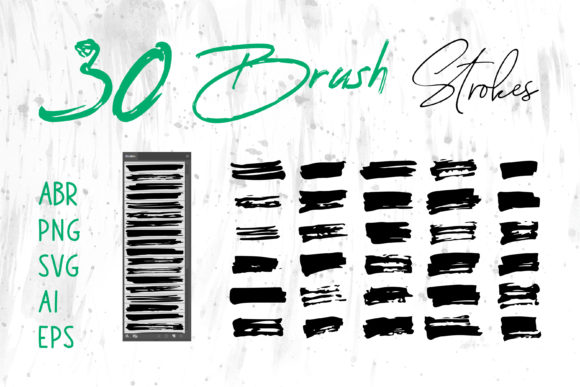
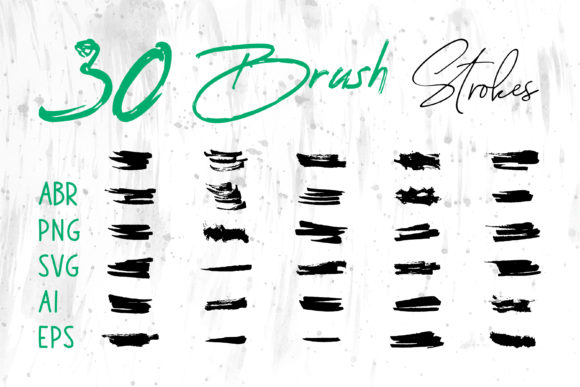
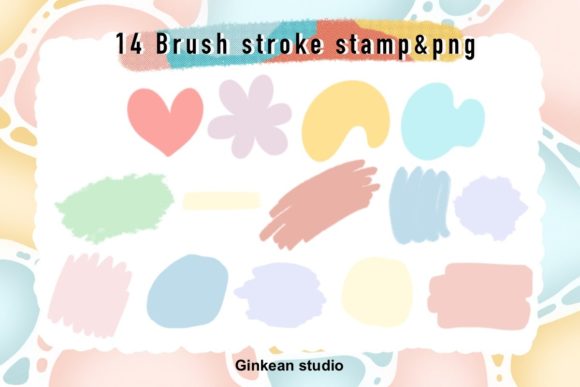
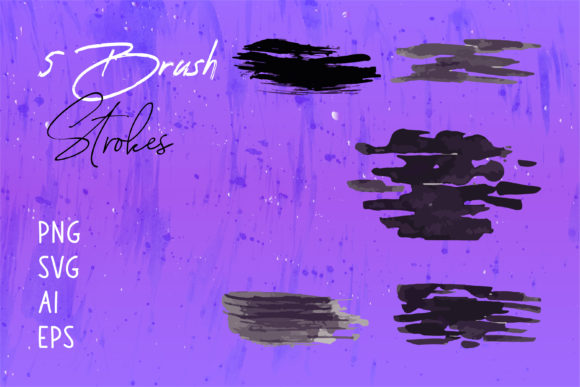
At its core, this product is a curated library of digital brush strokes designed to mimic the irregularity and fluidity of traditional painting. Unlike standard vector shapes that often appear too perfect or mechanical, these abstract forms retain the natural imperfections of a physical brush moving across canvas or paper. The collection is not limited to a single file type; it includes Brush Strokes.ai files alongside PNG, SVG, and EPS formats. This multi-format approach ensures that the assets are not confined to one software ecosystem but are accessible across a broad spectrum of design tools.
The inclusion of both raster (PNG) and vector (SVG, AI, EPS) files is a significant technical consideration. Vector formats allow for infinite scalability without loss of quality, making them ideal for large-format printing such as banners or packaging. Conversely, high-resolution PNGs offer immediate usability in environments where vector editing is not required or supported, such as word processing documents or basic presentation software.
Format Versatility and Software Compatibility
One of the primary reasons designers evaluate this specific set is its cross-platform compatibility. The promise of receiving files in PNG, SVG, AI, and EPS formats addresses a common pain point in digital asset management: format fragmentation. Here is how these formats translate to practical usage:
- Adobe Illustrator and CorelDRAW: The AI and EPS files are native to vector-based illustration software. Users can manipulate anchor points, change stroke weights, and recolor elements seamlessly. This is essential for logo design and custom iconography where brand consistency is paramount.
- Adobe Photoshop and Affinity Photo: While vectors can be imported, the PNG files provide ready-to-use layers with transparent backgrounds. This saves time on masking and allows for immediate composition using blending modes like Multiply or Overlay to integrate the strokes with photographic backgrounds.
- Microsoft Word and PowerPoint: Often overlooked in professional design discussions, office software users benefit significantly from PNG and SVG support. These formats allow non-designers to enhance reports, presentations, and internal documents with professional-grade graphics without needing specialized design software.
- Web Development: SVG files are lightweight and code-friendly, making them suitable for website headers, social media banners, and interactive elements where load speed and responsiveness are critical.
Practical Applications and Use Cases
The versatility of the Brush Stroke Set, Abstract Brush Shapes makes it suitable for a wide array of creative industries. Understanding where these assets fit best can help users maximize their value.
Branding and Identity
For brands aiming to convey creativity, artisanal quality, or approachability, abstract brush strokes serve as excellent foundational elements. They can be used to frame logos, create unique typography effects, or establish a visual language that feels human-centric rather than corporate. The ability to edit these in Adobe Illustrator ensures that the final logo remains crisp at any size.
Packaging and Print Media
In packaging design, texture differentiates products on crowded shelves. These brush shapes can be applied to box designs, label backgrounds, or promotional flyers. The EPS and AI formats ensure that when sent to professional printers, the edges remain sharp, avoiding the pixelation that can occur with lower-resolution raster images.
Digital Content and Social Media
Social media managers and content creators often need to produce visuals quickly. The PNG files allow for drag-and-drop functionality in tools like Canva or Adobe Express. Whether creating a YouTube thumbnail, an Instagram story background, or a digital scrapbook page, the pre-isolated strokes save hours of manual creation time.
Craft and DIY Projects
Beyond professional graphic design, these assets are valuable for crafters. They can be printed onto transfer paper for T-shirt designs, used in digital planning, or incorporated into greeting cards. The abstract nature of the shapes means they do not dictate a specific theme, allowing for broad creative interpretation.
Evaluating the Benefits and Tradeoffs
When considering the acquisition of this brush stroke set, it is important to weigh the advantages against potential limitations.
Benefits:
- Time Efficiency: Creating realistic brush strokes from scratch requires significant skill and time. This set provides instant access to high-quality textures.
- Scalability: The inclusion of vector files means the assets are future-proof. They can be resized for a business card or a billboard without degradation.
- Accessibility: Support for MS Word and PowerPoint expands the user base beyond professional designers to educators, administrators, and small business owners.
Considerations:
- Customization Limits: While vector files are editable, the fundamental shape is pre-defined. Designers seeking completely unique, one-off gestures may still need to create custom brushes for highly specific artistic visions.
- Overuse Risk: Because these assets are available to many users, there is a risk of visual saturation. To maintain uniqueness, designers should combine these strokes with other elements, adjust colors, or modify opacity rather than using them in isolation.
Decision-Making Insights: Is This Set Right for You?
Determining whether the Brush Stroke Set, Abstract Brush Shapes is a strong fit for your needs depends on your current workflow and project goals. If you frequently work across multiple platforms—switching between Illustrator for vector work and Photoshop for compositing—the multi-format inclusion is a decisive advantage. Similarly, if you manage social media channels or create presentation decks, the availability of PNGs ensures you can implement these graphics without technical hurdles.
However, if your work is strictly limited to high-end, bespoke illustration where every stroke must be original and hand-drawn for a specific client, a pre-made set might serve only as a reference or background element rather than a primary tool. In such cases, custom brush creation within Photoshop or Procreate might be more appropriate, though significantly more time-consuming.
For most generalist designers, marketers, and crafters, this collection offers a balanced solution. It bridges the gap between professional-grade vector flexibility and everyday raster convenience. By providing files that work in Adobe InDesign for layout, AI for logo refinement, and MS Office for documentation, it removes the friction of file conversion and compatibility issues.
Conclusion
The Brush Stroke Set, Abstract Brush Shapes is a pragmatic addition to any digital asset library. Its strength lies not just in the aesthetic quality of the strokes, but in the thoughtful provision of multiple file formats. This diversity ensures that whether you are designing a book cover, a T-shirt, or a corporate presentation, you have the right tool for the job. By understanding the specific strengths of PNG, SVG, AI, and EPS files, users can leverage this set to enhance their creative output efficiently and professionally. Before purchasing, consider your primary software environment and the scale of your intended projects to ensure this versatile collection meets your long-term design needs.