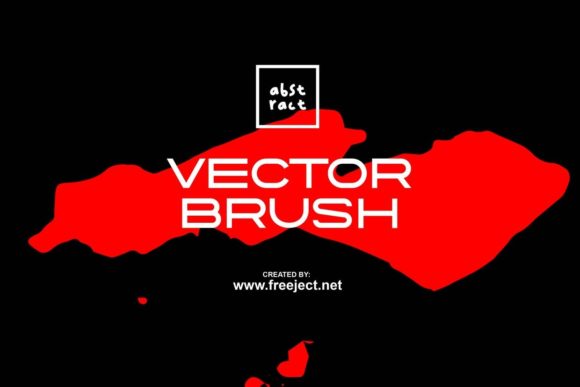
Mastering Digital Texture with Abstract Vector Brush Techniques
In the rapidly evolving landscape of digital design, the demand for unique, organic textures has never been higher. Designers across industries are moving away from rigid, geometric perfection in favor of elements that convey movement, emotion, and human touch. This shift has placed abstract vector brush tools at the forefront of modern creative workflows. Whether you are crafting a brand identity, designing packaging, or creating digital art, the ability to integrate fluid, hand-drawn aesthetics into scalable formats is a critical skill. These tools bridge the gap between traditional media and digital precision, offering a versatile solution for contemporary visual communication.
The Evolution of Digital Brushwork
Historically, achieving a hand-painted look in digital design required extensive manual labor or high-resolution raster images that lost quality when scaled. The introduction of sophisticated brush engines in software like Adobe Illustrator and Photoshop changed this paradigm. Today, an abstract vector brush is not merely a static image; it is a dynamic element that can be manipulated, resized, and recolored without any loss of fidelity. This evolution allows creators to maintain the spontaneity of a sketch while retaining the technical advantages of vector graphics.
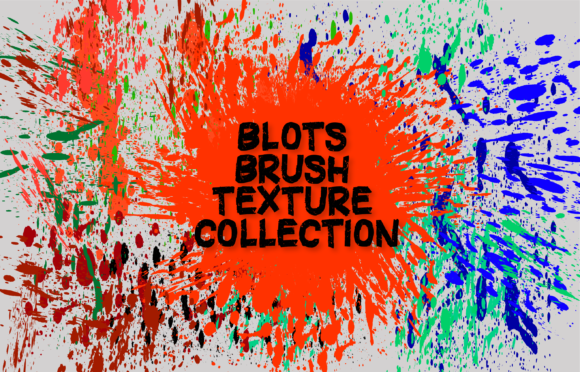
The core appeal lies in the versatility of these assets. By processing abstract shapes into design decorations, artists can create complex compositions quickly. Instead of drawing every stroke from scratch, designers can utilize pre-made brushes that mimic various media, such as ink splatters, charcoal smudges, or watercolor washes. This efficiency does not compromise creativity; rather, it accelerates the ideation phase, allowing for rapid experimentation with composition and color.
Vector vs. Raster: Understanding the Format Differences
When selecting tools for your project, understanding the distinction between vector and raster formats is essential. The package described includes both EPS files for vector applications and ABR files for raster-based editing. Each serves a distinct purpose in the design ecosystem.
- Vector Formats (EPS): These files are mathematically defined, meaning they can be scaled to any size—from a business card to a billboard—without pixelation. They are ideal for logo design, print media, and any application where crisp edges and infinite scalability are required. An abstract vector brush in EPS format allows you to edit individual anchor points, giving you complete control over the shape’s curvature and flow.
- Raster Formats (ABR and PNG): Photoshop brushes (ABR) and PNG images are pixel-based. They excel in scenarios requiring complex textural details, soft gradients, and realistic blending modes. While they do not scale infinitely like vectors, they offer a richer, more organic feel that is often difficult to replicate with pure vectors. They are perfect for digital painting, web graphics, and social media content where resolution requirements are fixed.
By having access to both formats, designers can choose the right tool for the specific constraints of their project. For instance, a designer might use the vector EPS files to create the primary structure of a layout and then overlay raster ABR brushes to add depth and texture.
Practical Applications in Professional Design
The utility of abstract shapes extends far beyond simple decoration. In professional settings, these elements serve functional roles in guiding viewer attention and establishing brand personality. Here are several key areas where these tools prove invaluable:
Brand Identity and Logo Design
Modern branding often seeks to appear approachable and authentic. Using an abstract vector brush in logo design can inject a sense of humanity into a corporate identity. A swoosh or a textured background element created with these brushes can soften the rigidity of typography, making the brand feel more accessible. Because the files are vector-based, the logo remains sharp across all merchandise, from embroidered caps to large-format signage.
Packaging and Print Media
In the competitive world of retail, packaging must stand out on the shelf. Abstract shapes made with brushes provide a unique backdrop that differentiates products. Whether it is a cosmetic label featuring delicate ink strokes or a food package with bold, energetic splashes, these elements create visual interest. The high-resolution nature of the included PNGs ensures that printed materials retain their clarity, while the vector options allow for easy adjustments to fit various package dimensions.
Digital Marketing and Social Media
Social media feeds are crowded, and static, generic images often fail to capture attention. Abstract brushes allow content creators to produce eye-catching graphics quickly. By layering different brush strokes, designers can create dynamic backgrounds for quotes, product announcements, or event promotions. The ability to customize colors to match campaign themes ensures consistency across all digital touchpoints.
Workflow Integration and Customization
Integrating these assets into your workflow is straightforward, but maximizing their potential requires a strategic approach. Here is how professionals typically incorporate these tools into their daily routines:
- Selection and Placement: Start by choosing the appropriate brush style from the library. With 80 different options available, you can select strokes that match the mood of your project. Drag and drop the EPS or PNG files into your workspace.
- Customization: One of the greatest advantages of vector files is editability. You can change the color of an abstract vector brush instantly to match your palette. In Illustrator, you can use the Direct Selection Tool to tweak specific curves, ensuring the shape fits perfectly within your composition.
- Layering and Blending: For richer textures, layer multiple brush strokes. In Photoshop, experiment with blending modes such as Multiply, Overlay, or Screen to create complex interactions between colors and shapes. This technique adds depth and prevents the design from looking flat.
- Masking and Clipping: Use clipping masks to contain abstract shapes within specific areas, such as text or product images. This creates a cohesive look where the texture enhances the subject rather than distracting from it.
This flexible workflow allows for endless variations. A single brush stroke can be rotated, scaled, and recolored to serve multiple purposes within a single project, maximizing the value of the asset library.
Enhancing Creativity with Pre-Made Assets
Some purists argue that using pre-made brushes stifles creativity. However, experienced designers view these tools as catalysts for innovation. Starting with a blank canvas can be intimidating and time-consuming. Having a library of 80 abstract shapes provides a starting point, sparking ideas that might not have emerged otherwise. It allows designers to focus on higher-level conceptual decisions rather than getting bogged down in the minutiae of drawing every individual line.
Moreover, these assets ensure consistency. When working on large projects with multiple team members, using a standardized set of brushes ensures that all visual elements share a common language. This coherence is crucial for maintaining a professional appearance across diverse deliverables.
Technical Considerations for Optimal Results
To get the most out of your abstract vector brush collection, keep several technical factors in mind. First, always check the resolution of raster files before printing. While the PNGs provided are high-quality, scaling them up too much can result in pixelation. For large-format print, stick to the EPS vector files.
Second, consider the color profile of your project. If you are designing for print, ensure your vectors are set to CMYK mode to avoid color shifts. For digital use, RGB is the standard. Most vector software allows for easy conversion between these profiles, but it is best to set this early in the process.
Finally, organize your layers effectively. When using multiple brush strokes, naming your layers and grouping related elements will save significant time during the revision process. This organizational habit is particularly important when collaborating with clients or other designers who may need to edit the file later.
Conclusion
The integration of abstract shapes and brush elements into digital design represents a fusion of artistic expression and technical efficiency. By leveraging both vector and raster formats, creators can produce work that is not only visually striking but also technically robust. Whether you are a seasoned professional or an emerging creator, incorporating these tools into your repertoire can elevate the quality and impact of your designs. The availability of comprehensive packages, including EPS, ABR, and PNG files, provides the flexibility needed to tackle a wide range of projects. As digital trends continue to favor authenticity and organic textures, mastering the use of an abstract vector brush will remain a valuable asset in the designer's toolkit.